

At a Glance
Our Verdict
The TP-Link AV1000 series of Powerline adapters has been updated, and is a well-made and fast set of data shifters at great prices. In some speed tests we actually found it faster than the supposedly more able TP-Link AV1200 adapters, so it punches above its weight. We help you pick the right model for your home networking needs.
If your home Wi-Fi isn’t up to fast file transfers or TV streaming your favourite TV shows to your smart TV, or you need speedier gaming for your console in your bedroom then Powerline might be your saviour.
Powerline is a simple technology that uses the power cables in your home to act like networking cables—so taking much less time to shuttle data around your building.
It’s super easy to set up. You just plug one base adapter into the power socket near your modem/router, and then connect those two devices together with a supplied Ethernet cable.
Then you plug the second adapter (and third and fourth if you need them) into the socket near your TV, Sky box, Tivo, games console, laptop, desktop PC and so on. You can then connect these devices to the second adapter via another Ethernet cable.
That way you get data speeds close to what you get if you connected your TV or whatever directly into your router.
Learn more in our What is Powerline explainer, and check out our current favourites in the roundup Best Powerline Adapter.
While the images here show the UK plug models, most should be available in the US and other countries. Links to the best prices are included below.
What’s in the box
To get started with Powerline you need a starter kit that usually includes two adapters and two Ethernet cables. That’s all you need to get started. If you need extra cables, check out the best ethernet cables.
Powerline features
Look out for Gigabit Ethernet ports for the fastest transfers. Most quality Powerline adapters go for this standard, but the very entry-level 500Mbs adapters often have the slower 10/100 Ethernet ports.
Another bonus feature is a passthrough socket on the front of the adapter so that you don’t lose a power socket when you plug it into your wall. This is also meant to help cut out data “noise” so is worth forking out extra if you can.
Finally, look out for Powerline adapters that can create a new Wi-Fi hotspot in the second room—so you get not just the option of a wired connection for your TV/console/etc but better Wi-Fi for everyone and everything else nearby. These work much better than so-called Wi-Fi Extenders, which just push a weak signal around a home. With Powerline that second Wi-Fi hotspot is much stronger because the signal is sped from your router to the Powerline adapter rather than having to crawl through walls and long distances before it reaches your hungry phone, laptop or whatever.
If your Wi-Fi is patchy in certain places then you can create multiple Wi-Fi hotspots by adding one of these special Powerline adapters to those rooms.

TP-Link AV1000 Gigabit Powerline
TP-Link makes an almost bewildering array of Powerline adapters. I’ve given up trying to work out why it needs so many, but, fear not, as all of them are excellent.
You just have to choose one from the many models, which range from claimed speeds of 500Mbps to 2,000Mbps—but it’s the rather disingenuous counting method that all Powerline manufacturers use.
First, remember that you’ll never get 500Mbps let alone 2,000Mbps as these are theoretical maximum speeds and have little to do with real-life performance.
In our experience, if you get 200Mbps you’ll be lucky, but that will be plenty fast enough for most and certainly faster than what you already achieve via Wi-Fi in the home.
TP-Link has updated its mid-level AV1000 Powerline starter kits, tested and reviewed here. As the name suggests, this “Gigabit Ethernet” is rated at 1,000Mbps. While it’s in the TP-Link midrange, it is no slouch.
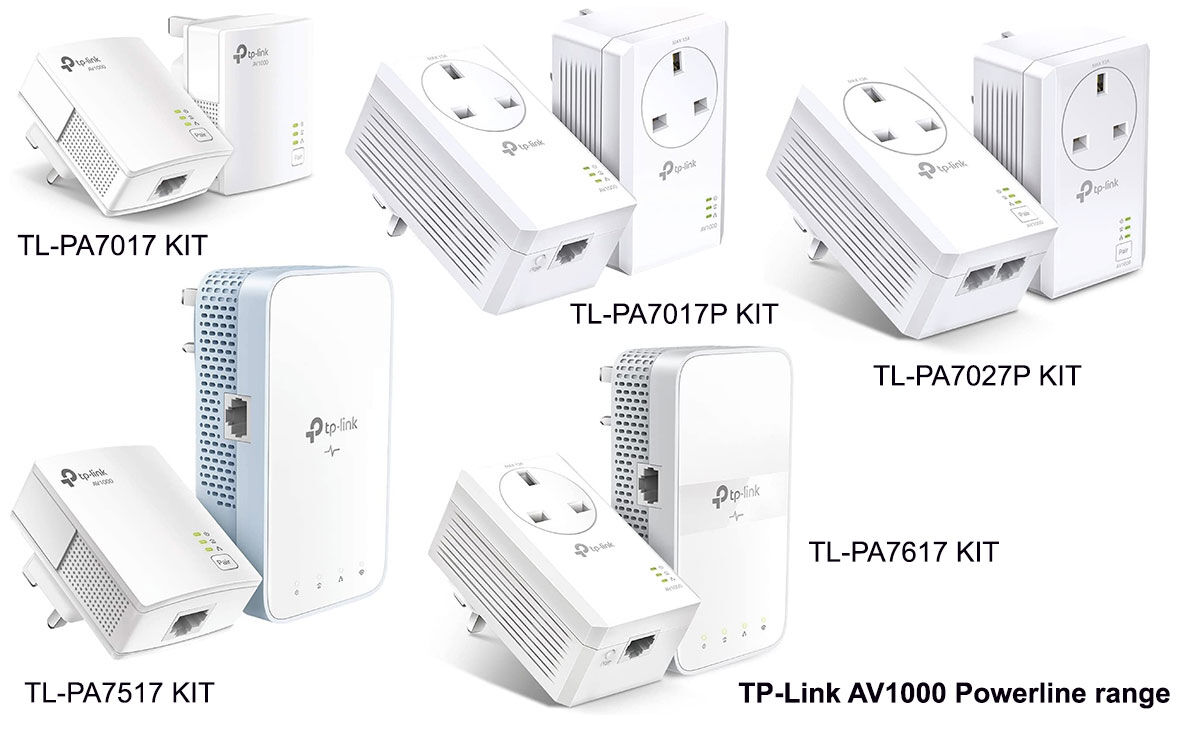
The TP-Link AV1000 product family is one of our favourites in terms of speed and functions, although the range is a bit ad hoc in terms of mixing the best features.
There are five models, a couple with Wi-Fi, three with at least one pass-through socket, and one with two Ethernet ports. Each ships with two Ethernet cables.
The prices are RRP, but the links lead to the latest online prices.
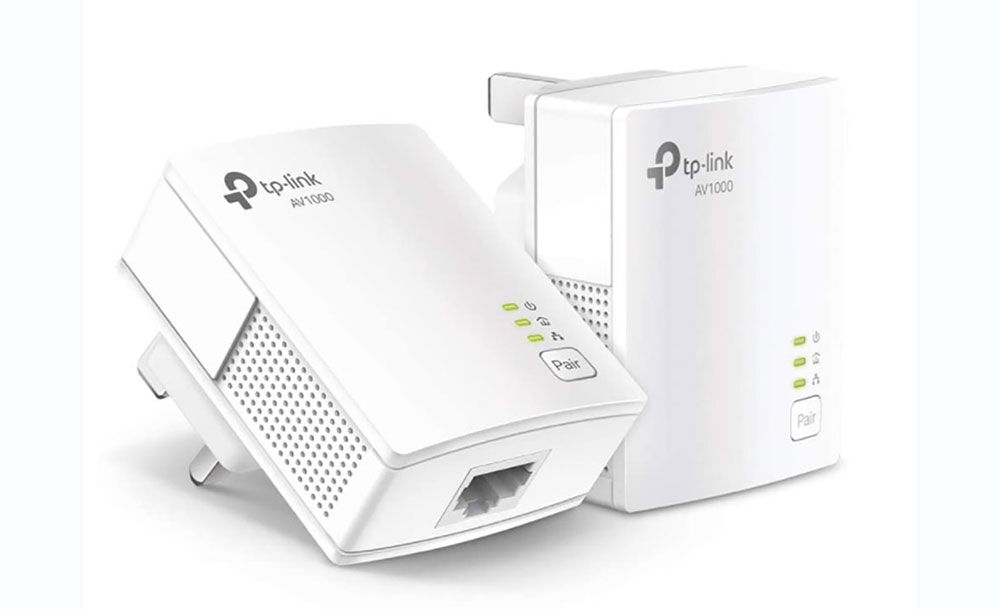
AV1000 Gigabit Powerline Starter Kit (TL-PA7017 KIT) One Gigabit Ethernet port per adapter: $49.99 / £39.99 This starter kit has two tiny Powerline adapters, each with one Ethernet port. There is no extra Wi-Fi hotspot function or passthrough sockets on either adapter. It’s a great starter Powerline adapter kit if you can spare the power socket and just need one smart device connected to the second-room adapter.
Available in the US at Amazon and B&H Photo. Available in the UK at Amazon, or Currys and eBuyer.

AV1000 Gigabit Passthrough Powerline Starter Kit (TL-PA7017P KIT) One Gigabit Ethernet port and passthrough socket per adapter: $59.99 / £49.99 The TL-PA7017P KIT has the same features as the TL-PA7017 KIT but with adapter units each with a pass-through socket. Because of the sockets, these adapters are slightly larger than those of the TL-PA7017 but they are still some of the smallest we’ve tested. Again, there’s no functionality to create a new Wi-Fi hotspot in the second room, and just one Gigabit Ethernet port per adapter, so it’s a basic system—although one that we think will be fast enough for most purposes.
Available in the US at Amazon and B&H Photo. Available in the UK at Amazon and Scan.
TP-Link
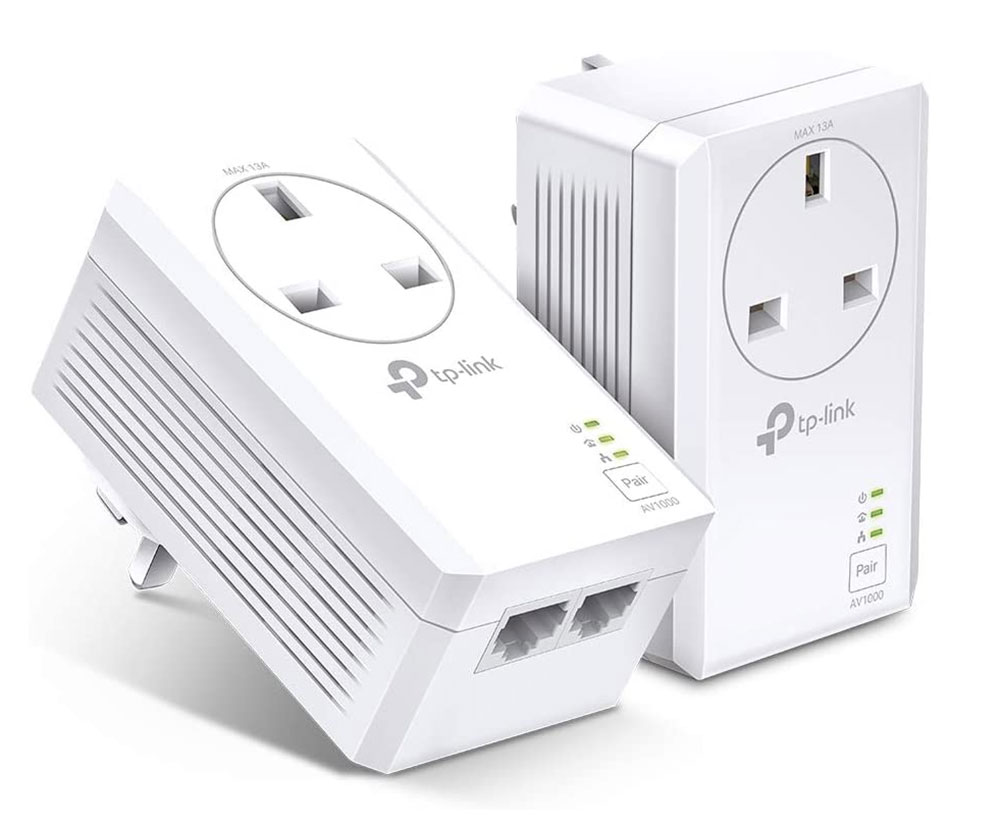
AV1000 2-Port Gigabit Passthrough Powerline Starter Kit (TL-PA7027P KIT) Two Gigabit Ethernet ports and passthrough socket per adapter: £66.99 This starter kit is the same as the TL-PA7017P KIT but with two Gigabit Ethernet ports on each adapter, so you can connect two smart devices in both rooms.
Not available in the US. Available in the UK at Amazon or Currys and eBuyer.
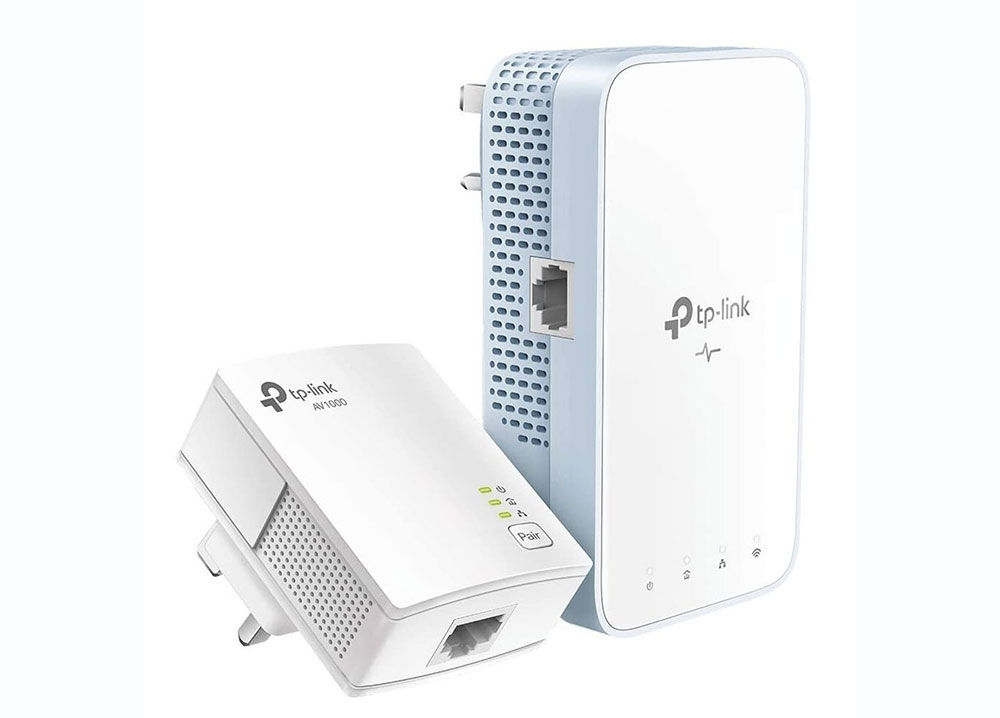
AV1000 Gigabit Powerline ac Wi-Fi Kit (TL-WPA7517 KIT) Wi-fi hotspot and one Gigabit Ethernet port per adapter: $89.99 / £69.99 This Wi-Fi Powerline starter kit has two different adapters. The base unit that plugs into the router is tiny (it’s the same as with the entry-level PA7017), while the second-room adapter is about twice the size but includes the extra Wi-Fi hotspot so you can have not just fast wired but fast wireless connections away from the router.
Available in the US at Amazon and B&H Photo. Available in the UK at Amazon and Currys.
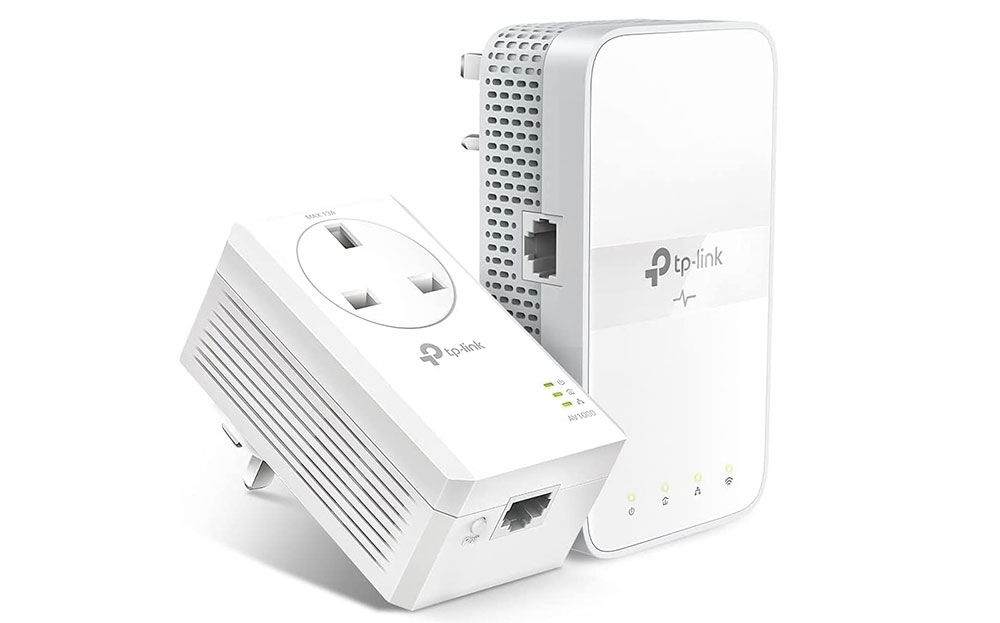
AV1000 Gigabit Passthrough Powerline ac Wi-Fi Kit (TL-WPA7617 KIT) Wi-fi hotspot and one Gigabit Ethernet port per adapter, one with passthrough socket: $99.99 / £79.99 This Powerline Wi-Fi starter kit is basically the same as the TL-WPA7517 KIT but with the base adapter boasting a passthrough socket (the same as the PA7017P). We like a passthrough socket as it saves you from losing one where you plug it in near to the router. You can decide whether it’s worth the extra cost. Note that you shouldn’t plug a Powerline adapter into an extension lead or power strip as it will reduce performance, making the passthrough on the adapter even handier.
Available in the US at Amazon and B&H Photo. Available in the UK at Amazon and Scan.
So which TP-Link AV1000 Powerline do you need?
The first determining factor when choosing a Powerline adapter is whether you want to create a strong new Wi-Fi hotspot in other rooms in the building.
If your home has patchy Wi-Fi away from the router, we recommend a Powerline setup with Wi-Fi functionality—at least for the phones and tablets that you can’t plug an Ethernet cable into. The TP-Link WPA-7617 Kit is our pick because of its passthrough socket saving you a power source near your router.
If the Wi-Fi is acceptable everywhere, then you can save money without paying extra for a Powerline that’s able to offer a new hotspot for you. If you have just one smart device to connect, go for the TP-Link PA-7017P Kit.
The next factor is how many devices you want to connect to fast wired Internet access. Only one of the TP-Link systems (the PA-7027P) has more than one Gigabit Ethernet port, although you could connect to an Ethernet Switch that adds extra ports to split the signal over.
If you want to connect a smart TV, Sky box or Tivo, games console and laptop, look for a Powerline adapter with multiple Ethernet ports. TP-Link’s own TL-PA8033 AV1300 has a second-room adapter with three Gigabit Ethernet ports, and both adapters have pass-through sockets, for not much more than the AV1000.
What TP-Link is missing in its Powerline range is a top-end all-function product, with more than one Ethernet port, Wi-Fi and passthrough sockets. The TL-WPA7617 comes closest but boasts just the one wired Gigabit Ethernet port on each of its adapters. At least one more on the second-room adapter would have made this an ideal Powerline kit.
If you want multiple Ethernet ports, pass-through and Wi-Fi you should consider Devolo’s Magic 2 Wi-Fi Next or the ASUS PL-AC56 KIT Powerline Extender.
TP-Link AV1000 Gigabit Powerline: speed tests
We tested the TL-WPA7517 KIT in a three-storey Victorian townhouse, with the modem/router on the top floor and the second adapter on the ground floor—nicely placed for the TV and SkyQ box.
And it passed our speed tests with top marks. Speeds will always depend on each particular building and its wiring, plus other environmental matters, so the results may well be faster or slower in your home, but we test every Powerline adapter in the same building so we can compare in a like-for-like situation.
First, we put the two adapters next to each other to test the fastest possible scenario—although not a very realistic one.
The AV1000 managed to reach speeds of 373Mbps—which is among the highest we’ve recorded in several years of testing.
When we moved the second adapter to a room two floors below the router we recorded speeds of 130Mbps. That might not sound much, but it’s certainly fast enough to stream your Netflix shows to your TV or computer.
Finally, we tested it using the new TP-Link Wi-Fi hotspot, and it came in at a very respectable 81Mbps—not far below the 90Mbps we recorded with the TP-Link AV1200.
These results were as good or better than the supposedly faster AV1200 TP-Link Powerlines, so you can save some money and not suffer any real speed loss with the AV1000 range.
Specs
TP-Link AV1000 Powerline: Specs
- Maximum speed: 1,000Mps. Some models include multiple Ethernet ports, pass-through sockets and Wi-Fi options.