

At a Glance
Pros
- Bright OLED screen
- Good value
- Big battery
- Clean software
Cons
- Laggy at times
- Slow charging
- Ok cameras
- 60Hz
Our Verdict
Spend a little more and you’ll get a much better phone, but for those with a limited budget, the Moto G31 is a solid enough choice for basic usage.
It’s hard to keep up with Motorola phone releases, even when you follow the tech landscape daily. Gone are the days of neat G models in different variants. Still, the Moto G31 is another interestingly specced handset for not much money.
Starting at just £169, it will certainly appeal to anyone who wants a nice phone at a very budget-friendly price. Despite being cheaper than many pairs of wireless earbuds, the G31 offers features like an OLED screen, triple rear cameras and long battery life.
Let’s see if it can deliver in a world where the likes of Xiaomi are hard to compete with.
Design & Build
- 8.55mm, 181g
- Water repellent coating
- Side-mounted fingerprint scanner
It might be the somewhat weary feeling of someone who has reviewed phones for more than a decade but there’s not a huge amount to say about the Moto G31 in terms of design and build.
The phone, like so many, is cookie-cutter although this is understandable for this price category. This is not to say the G31 is ugly. It is far from it, but it’s hard to find a phone that looks particularly different from the rest of the market.
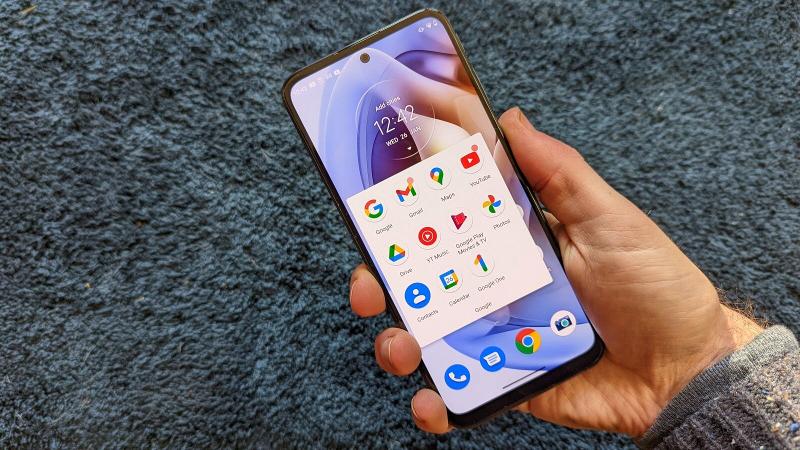
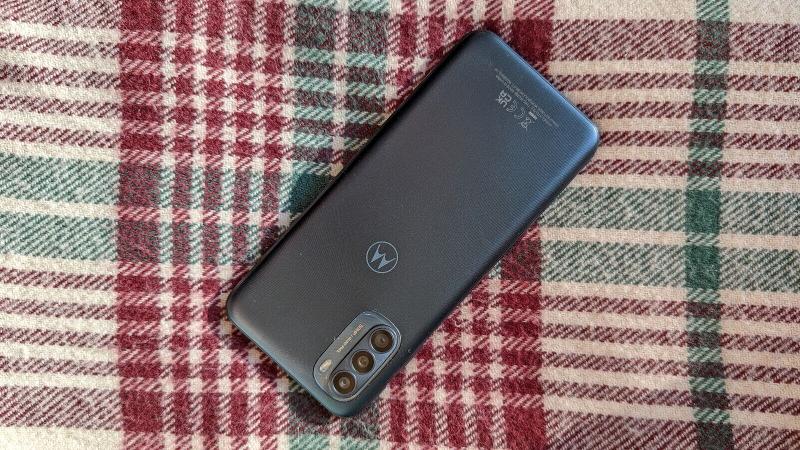
In fact, if you haven’t had a budget phone in a while, you wouldn’t think this was one at first glance. It looks, and largely feels, like a mid-range phone. It’s suitably thin and light and I like the Mineral Grey colour I’ve tested even if it is a tad plain.
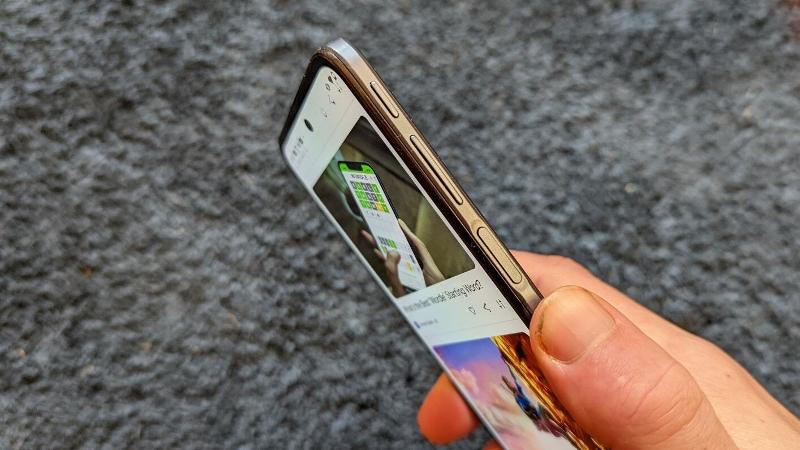
There’s also a Baby Blue option if you prefer but either way, the back is a basic plastic construction with a textured concentric circle pattern. The thin body still manages to fit a 3.5mm headphone jack and a fingerprint scanner is embedded into the power button on the side.
It works very well indeed, and I prefer it to many that are embedded into the display. It’s perhaps not great for left-handed users though, being on the right edge. Here you’ll also find, along with the volume buttons, an extra one. It’s almost at the top of the frame and hard to reach – I didn’t use it much at all – but summons the Google Assistant.
Like most cheap Moto phones, the G31 doesn’t have an IP rating but does have a water repellent coating. A clear silicone case is included in the box.
Screen & Speakers
- 6.4in OLED
- Full HD+
- 60Hz
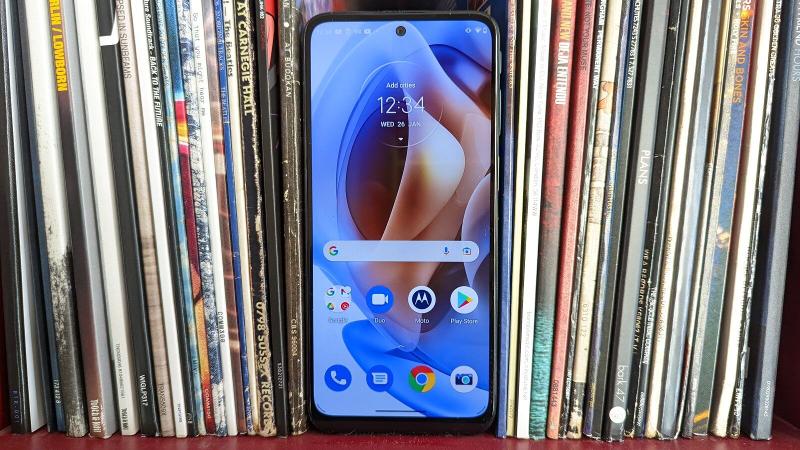
The screen on offer is decent, and largely in keeping with what you’d expect these days. It’s big, bright and colourful.
A few years ago 6.4in would be one of the biggest phones around but is very much the norm now – of course better screen-to-body ratios have helped a lot here, stopping phone chassis also getting too big.
The OLED panel offers excellent contrast and I measured peak brightness at a decent 453 nits. Colours have a good amount of pop without being oversaturated, too. The slightly large chin under the screen is a bit of an eye-sore but it’s understandable at this price.
One thing to note is that the display is limited to 60Hz – ie the standard refresh rate of screens for many years. You might be looking for a high refresh rate phone – 90Hz – at the budget end of the phone market but you’ll have to look elsewhere for that.
It would be nice here as the faster refresh makes using the phone smoother, especially when scrolling and gaming, but it seems Motorola has focused on photography instead. The main rival around this price with a 90Hz screen is the Xiaomi Redmi 10.
It’s somewhat odd considering last year’s Moto G30 had a 90Hz screen, albeit with an IPS LCD panel so it somewhat comes down to preference. Either way, this is a great screen for a phone so cheap and certainly doesn’t feel budget.
As mentioned earlier, the Moto G31 has a headphone jack which is nice to see but only has a mono speaker. However, this is pretty decent with a good amount of volume and clarity.
Specs & Performance
- Switch to MediaTek
- Only 4GB RAM
- 64- or 128GB storage
Motorola has switched from Qualcomm (the G30 had a Snapdragon 662) to MediaTek and the Moto G31 has a Helios G85 processor. Along with 4GB of RAM, this is where we find the obviously budget part of the Moto G31.

While there’s a choice to double the base storage from 64- to 128GB, there’s not a higher-spec option with more memory.
Performance is about what I expected. That is to say it’s fine a lot of the time, but there are plenty of instances of the phone lagging – whether it’s loading an app, or something just simply navigating around the homescreens.
For now, this is just what you have to live with or spend more money. Benchmarks roughly match the very similarly priced Xiaomi Redmi 10 but you can also see what happens to the figures – and generally real-world experience – for the devices in the £200-250 range and the OnePlus Nord 2 which tops our mid-range chart.
Other specs are reasonable across the board if you don’t need things like 5G. You get dual-band Wi-Fi 5, Bluetooth 5.0, NFC, GPS and the aforementioned fingerprint scanner. There’s also Dual-SIM if you need it but one will take up the microSD card slot.
Cameras
- Triple rear cameras
- 50Mp main sensor
- 13Mp punch-hole camera
Long gone are the days when a triple rear camera array was impressive. With various cheap 2Mp sensors, it’s easy for even a budget phone to have a large number on offer.
Here the Moto G13 leads with a 50Mp camera which is flanked by an 8Mp ultra-wide and a 2Mp macro. If it had a fourth it would likely be a 2Mp depth sensor but three it is.

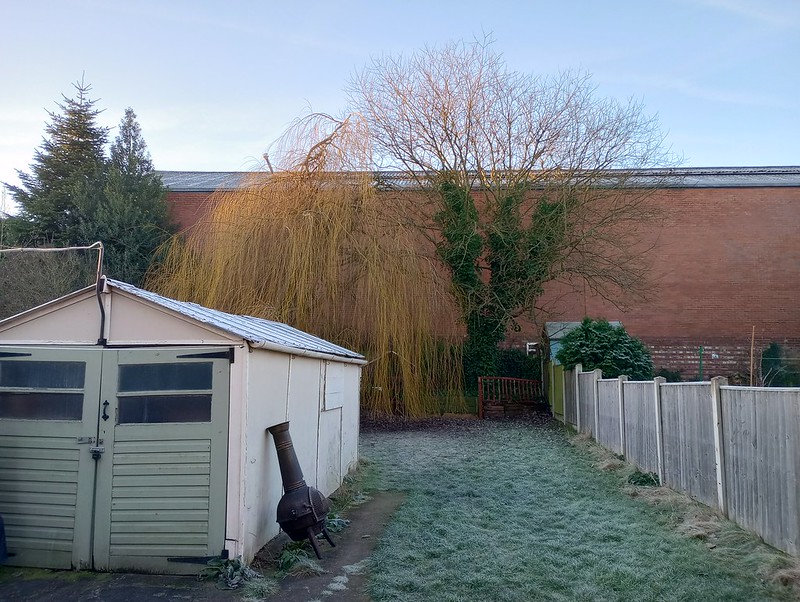
Overall, I wasn’t too surprised with my findings from the cameras. Detail and quality is generally decent from the main camera if you’re in good lighting conditions but it struggles when put in lower light situations – even if the 50Mp is 4-in-1 pixel binning to result in 12.5Mp shots.
The utlra-wide should come in useful but there’s a natural drop in detail. The biggest surprise is that the macro camera is actually very good a lot of time. As mentioned, these are typically slapped on to up the sensor count and the vast majority of the time are trash.
Check out some of the shots I managed to get with it though. Impressive stuff as long as you don’t want to blow them up to hang on a wall.
The punch-hole camera is mounted centrally which helps get selfies lined up neatly and results are good enough for a budget phone but don’t set your expectations too high.
A plus side here is the Motorola camera app which I find easy to use. It comes complete with Google Lens and various different modes including spot colour which has been around for a while, allowing you to pick a colour out leaving everything else monochrome.
Portrait mode is available for rear and front cameras and even allows you to adjust the level of depth with a handy slider – results vary though and you’ll need good lighting to get the best out of it.
Video is limited to 1080p and there’s no stabilisation so don’t buy this phone if you want super smooth clips of your kids running around the garden or such like.
Battery Life & Charging
- 5000mAh
- 10W charging
- USB-C
Like a lot of phones at the moment, the Moto G31 has a sizeable 5000mAh battery and Motorola says that you can get 36 hours of usage from it. I’d say that could be true but of course, it depends on your usage – a busy phone user will likely charge nightly.
In our PCMark Work 3.0 battery benchmark the Moto G31 managed a decent 10 hours and 36 minutes but for comparison, the Redmi 10 lasted more than 15 hours with the same battery capacity.

Charging is a weak point here as although an adapter is included in the box, it’s a paltry 10W meaning you’ll only get 23% charge in 30 minutes based on my testing. It is at least USB-C but that’s expected for any smartphone now.
Software & Apps
- Android 11
- Clean interface
- Useful Moto additions
It’s a familiar story to previous years with the Moto G31. You get almost the latest version of Android and it’s almost stock, so very much like what you get on Google’s own Pixel phones.
This helps with performance, even if I did find lag sometimes, with Motorola only adding a few things here and there, the vast majority of which is genuinely useful.
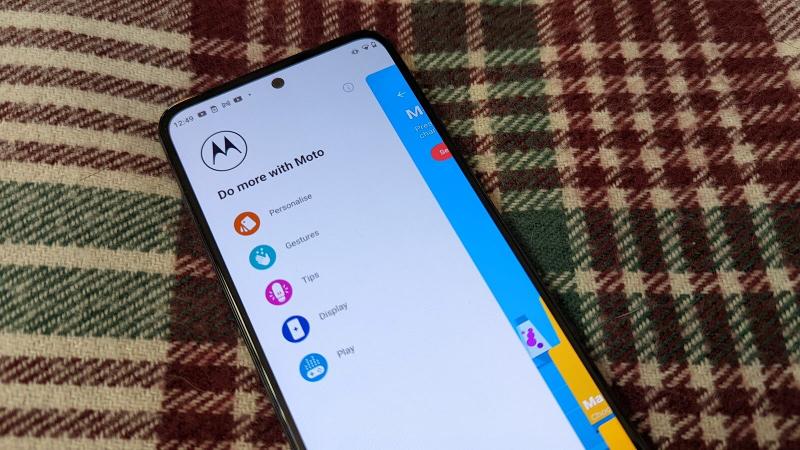
The Moto app on the main homescreen is where you’ll find a bunch of things to explore including gestures, display options and entertainment controls. It’s a sort of settings menu if you like but presented in a much nicer way to help you discover features.
It’s not new but I particularly like the double karate chop gesture to turn the flash light on and Peek Display means you can long-press on notifications on the lockscreen to preview them. Someone looks over your shoulder to get a glance? Just let go and poof, the notification is gone.
The Google feed is a swipe away from the main homescreen and the pre-loaded apps are almost entirely Google’s.
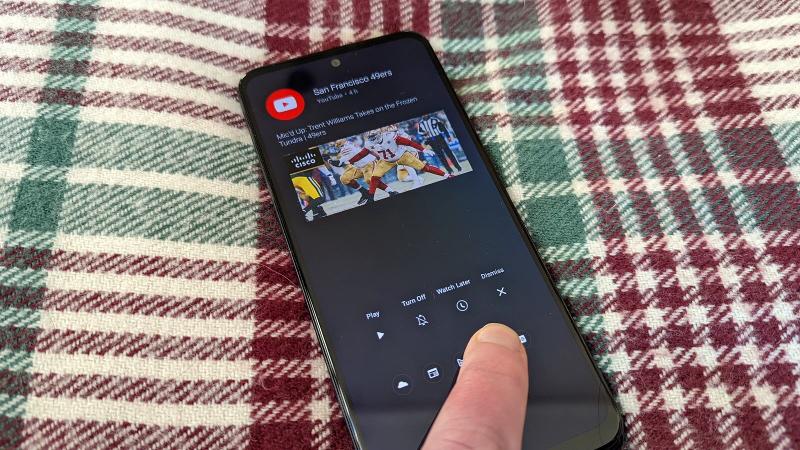
My main frustration with the software is the lack of ability to change the homescreen grid. It’s set to four icons wide, but I’d prefer to make it five to fit more but this isn’t an option in the menu. You can only adjust the size of the icons.
Price
As mentioned at the top, the Moto G31 starts at just £169.99 which will get you a 4/64GB model. You can then step up to the 4/128GB model for £189.99. That £20 extra will be well worth it for most users.
You can buy it from Motorola, Amazon as well as John Lewis, Argos and Carphone Warehouse.
The phone isn’t available in the US, so you’ll have to look to alternatives like the Moto G Pure and Moto G Power.
With most rivals over the £200 mark, the G31 will be a tempting choice for those on a more limited budget. However, there are some others to consider at similar prices such as the Xiaomi Redmi 10, Realme 8 and Xiaomi Poco X3 NFC.
Check out more options in our best budget phone chart.
Verdict
The Moto G31 has a few downsides, but they’re all ones you should expect at this price and are reasonable to live with.
Slow charging, sometimes laggy performance and cameras that can’t cope in low light is actually a pretty small list compared to a phone that cost this much a few years ago.
This isn’t a flashy phone, but one that largely gets the job done if you set your expectations appropriately. Design and core components are basic, but you get a really nice screen here, even if it is limited to 60Hz as well as clean software.
If you want a simple and affordable smartphone then the Moto G31 fits the bill. Otherwise, the Xiaomi Redmi 10 has more impressive specs and not much more money.
Specs
Motorola Moto G31: Specs
- Android 11
- 6.4in 60Hz Full HD+ (1080×2400) OLED display
- MediaTek Helio G85
- 4GB RAM
- 64/128GB storage
- microSD card slot
- Rear-mounted fingerprint sensor
- 50Mp main camera, f/1.8, PDAF
- 8Mp ultrawide camera, f/2.2, 118° FoV
- 2Mp macro camera, f/2.4
- 13Mp hole-punch front camera, f/2.2
- Bluetooth 5.0
- NFC
- GPS
- Wi-Fi 11ac, dual-band
- USB-C
- 3.5mm headphone jack
- Hybrid Dual SIM
- Side-mounted fingerprint scanner
- 5000mAh battery
- 10W charging
- WiFi 802.11
- 162 x 74 x 8.55mm
- 181g
- Water repellent coating