

At a Glance
Pros
- Superb 12.6in AMOLED display
- Crisp sounding quad speakers
- Responsive stylus included
- Well-considered software
Cons
- Expensive
- Performance solid but not top tier
- Sub par battery life
Our Verdict
The Lenovo Tab P12 Pro is a fine premium Android tablet that provides a brilliant media consumption experience and a solid stylus in a sleek design. We only wish it was a little cheaper here in the UK given its mid-range performance.
The Android tablet market is often seen as a veritable Wild West of cheap and cheerful devices, with only Samsung offering anything you might consider premium or iPad-worthy.
That’s not strictly true, however. Besides Xiaomi, another brand that’s been quietly plugging away at the classier end of the Android tablet market is Lenovo.
In addition to the quirky Lenovo Yoga Tab 13, the Chinese brand currently provides the Lenovo Tab P12 Pro – an even pricier but decidedly more orthodox high-end tablet.
With an RRP of £749 in the UK and US$699 across the pond, this full-sized tablet is competing directly with the iPad Pro and the Samsung Galaxy Tab S8. That’s a little pricey for what you’re getting, which is a shame because this is in other ways a very likeable slate.
Design & Build
- Plain but stylish
- Magnetic stylus holder
- 5.6mm, 565g
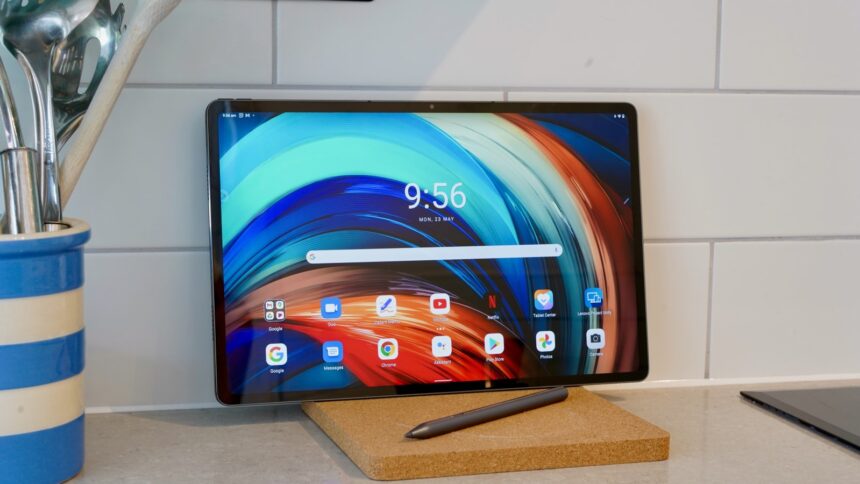
The Lenovo Tab P12 Pro adopts a crisp, sober design that closely resembles the Pro tablet competition. That includes a slim 5.6mm-thick metal body, uniformly slim bezels, and completely flat edges and surfaces (barring a protruding camera module).
At 565g, it’s almost exactly the same weight as the Samsung Galaxy Tab S8+, and is significantly lighter than the current iPad Pro 12.9 (which weighs 682g).
This low-key ‘professional’ look is carried through to your choice of colours. To steal the old Ford line, you can have the Lenovo Tab P12 Pro in any colour you want, as long as it’s Storm Grey.
Jon Mundy /Foundry
Lenovo has integrated a fingerprint sensor into the power button on the top-left edge, as held in the natural landscape position. It’s fast and reliable when you hit it dead-on, but I would have liked it to have been both larger and in some way textured or recessed so as to make it easier to find by feel.
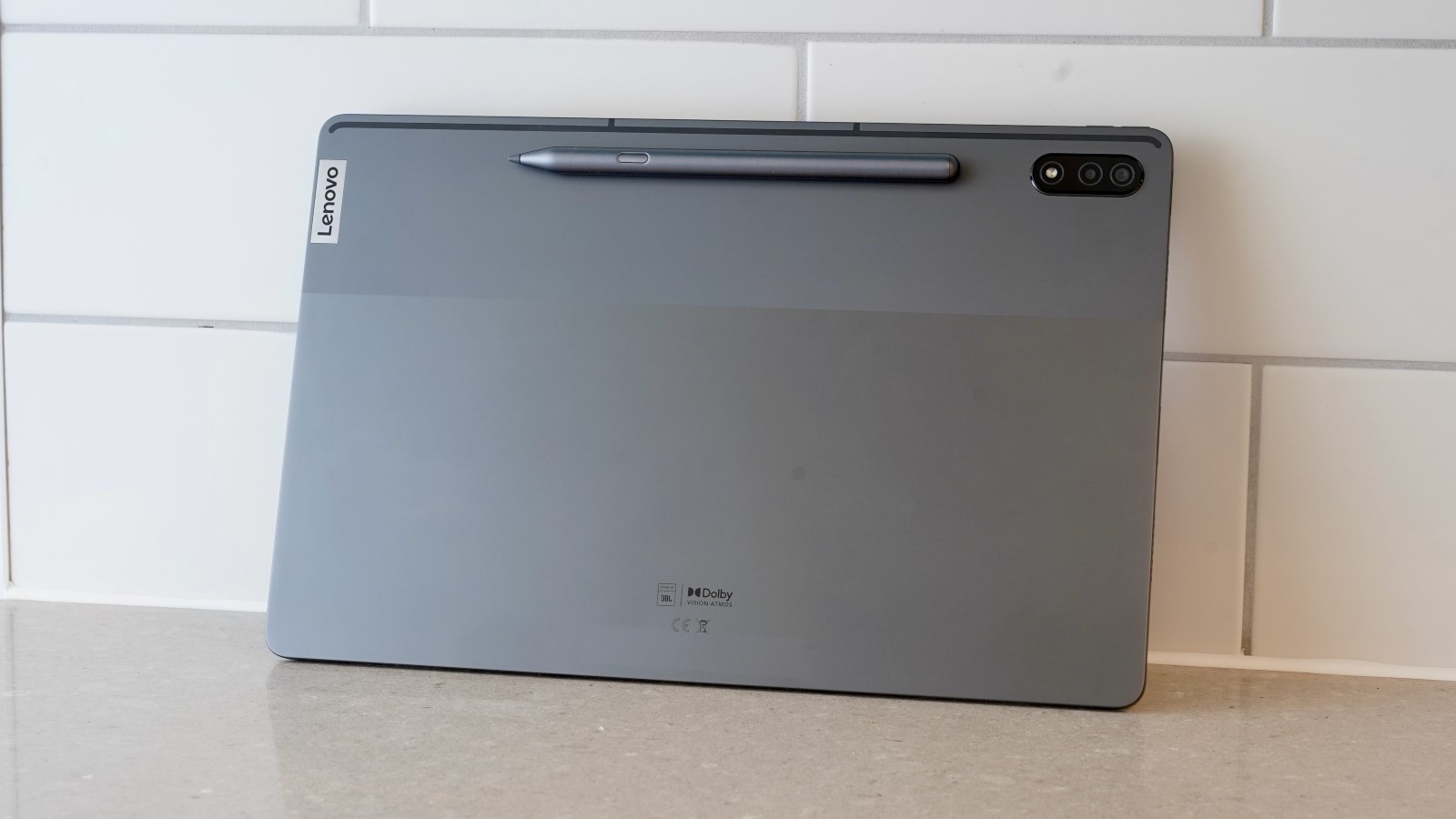
Around back you’ll find a little magnetised patch adjacent to the lozenge-shaped camera module, which is where you’ll attach the bundled Lenovo Precision Pen 3 stylus. I found that this stayed relatively well secured, even when laying the tablet down.
The stylus itself is nicely sized, charges while attached to the tablet, and is plenty responsive with 4,096 pressure-sensitivity levels and tilt detection.
Note that there is an optional keyboard accessory, making this a possible laptop replacement, but I was not sent this for testing with the tablet.
Screen & Speakers
- 12.6in AMOLED
- 120Hz refresh rate
- Quad speakers with Dolby Atmos
Perhaps the best element of the Lenovo Tab P12 Pro is its large, vibrant, and colour-accurate display.
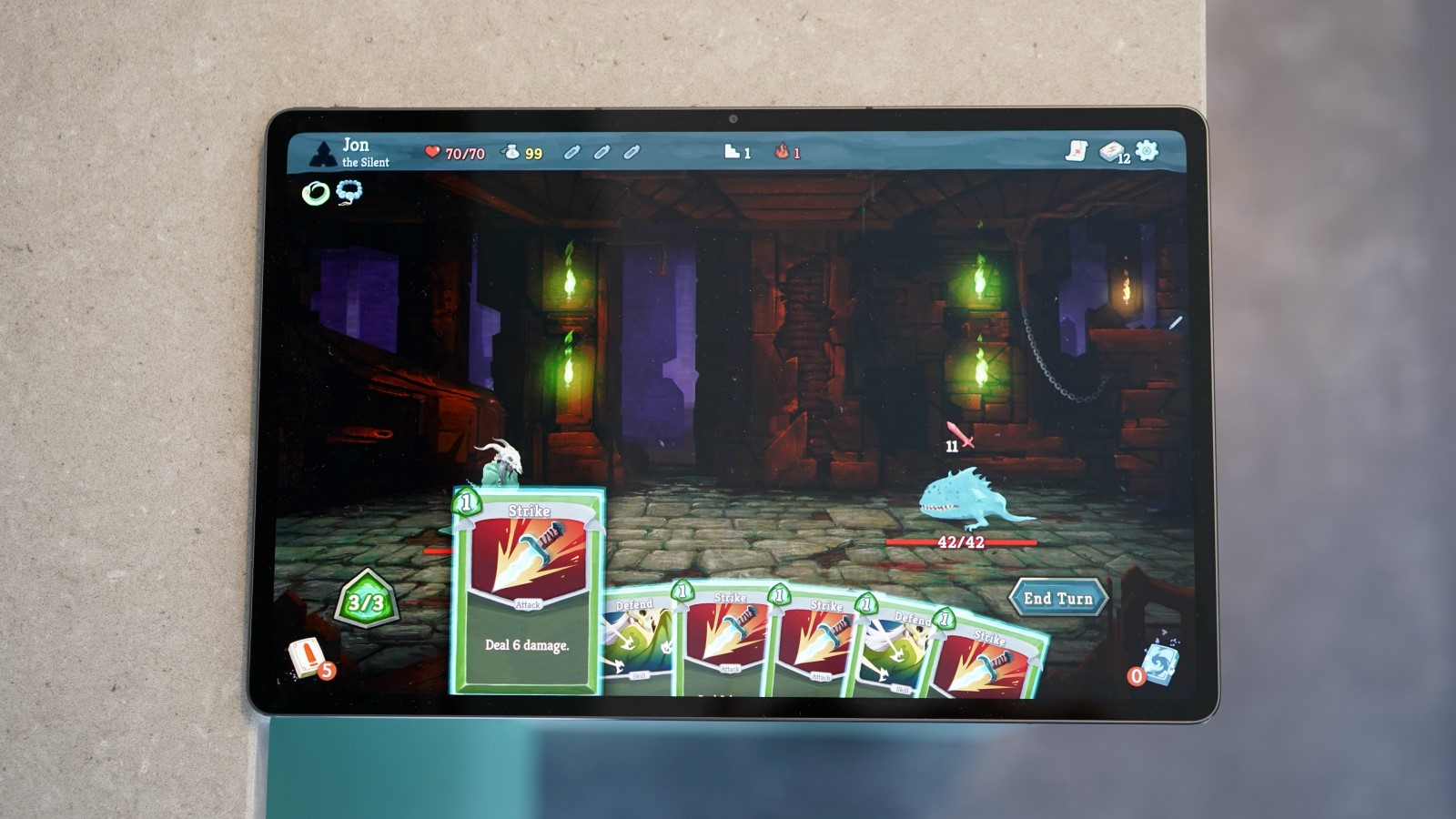
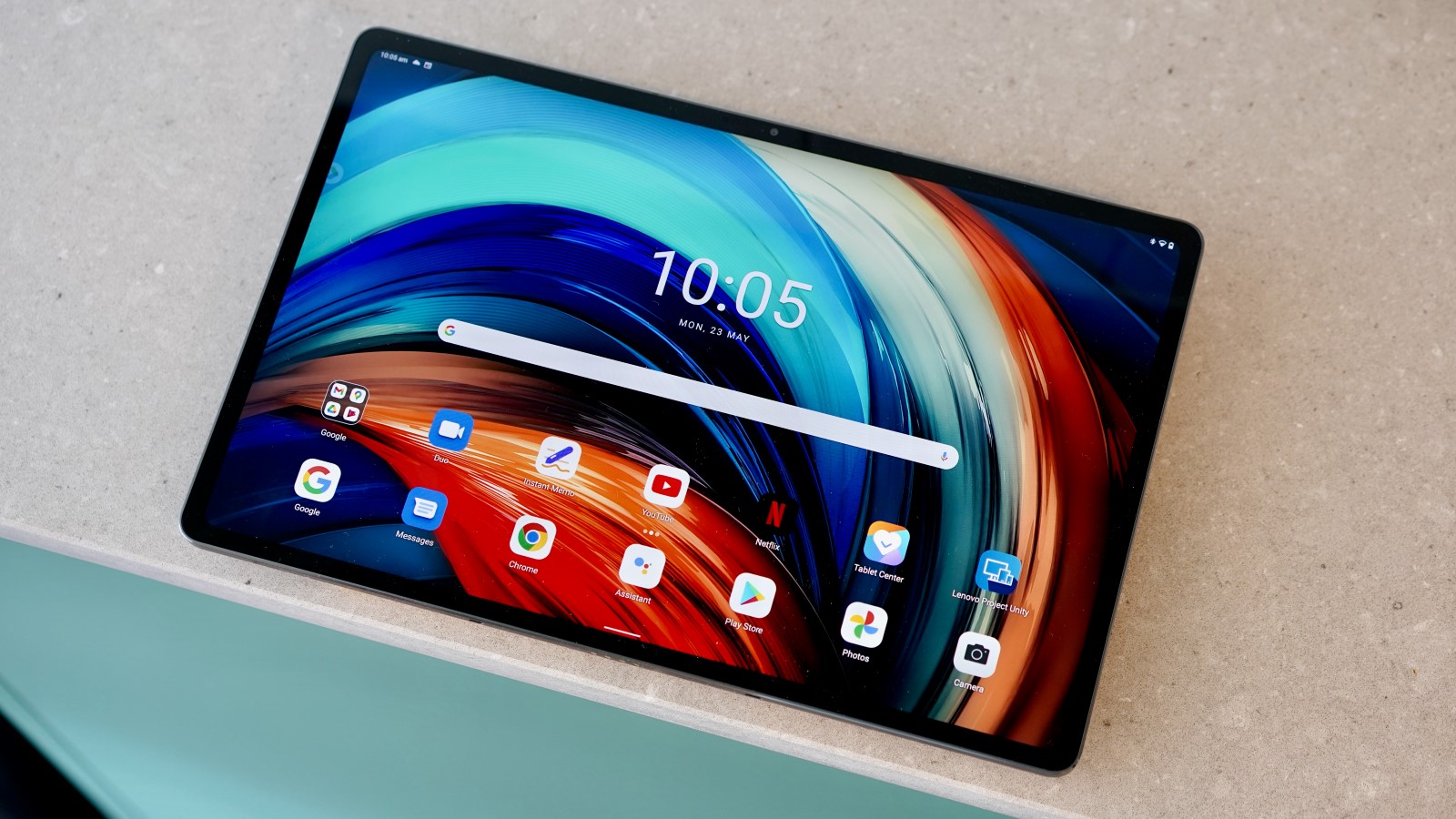
It uses a 12.6in AMOLED panel that’s positively bursting with colour, and with a 1600 x 2560 resolution providing plenty of pixels. You also get the benefits of a 120Hz refresh rate, so navigation is a silky-smooth delight.
Going back to those colours for a second, they really are on point. In the tablet’s Standard colour mode, I measured a gamut coverage of 100% sRGB against a gamut volume of 103.6%, and a nigh-on perfect Delta E rating of 1.04 (with 1 being the ideal).
Together with those inky AMOLED blacks and the sheer size of the screen, it really is a treat watching movies on this device.
Jon Mundy /Foundry
If I were to level one criticism at the Lenovo Tab P12 Pro’s display, it’s that it doesn’t get particularly bright. I measured a maximum brightness of 380 nits with auto-brightness turned off, and it’ll only hit a claimed peak of 600 nits with that switched on. I can’t imagine you’ll want to watch many Netflix videos out in the garden on it this summer.
Like most rivals, you get four speakers, with two positioned to either side in that aforementioned landscape orientation. There’s Dolby Atmos support, and they can get extremely loud whilst retaining admirable clarity.
Specs & Performance
- Snapdragon 870
- 6/8GB RAM
- 128GB storage
Interestingly for such a premium tablet, the Lenovo Tab P12 Pro doesn’t run on a correspondingly premium processor. Rather, just like it did with the Lenovo Yoga Tab 13, Lenovo has gone with a Snapdragon 870 together with 6- or 8GB of RAM.
On a surface level, the Snapdragon 870 is a mid-range chip from 2021. However, it has always punched above its weight in phones such as the Poco F3 and the Realme GT Neo 3T. It’s essentially an overclocked Snapdragon 865, which was the go-to flagship chip of 2020.
While a more modern flagship chip would have been preferable, this is far from a disastrous choice. In general usage, the Lenovo Tab P12 Pro is a fluid delight, and absolutely indistinguishable from other flagship Android tablets.
In benchmark terms, the tablet scored 2985 in the CPU-focused Geekbench 5 test. That places it just a few hundred points behind the Samsung Galaxy tab S8 Ultra, but also the iPad 10.2 (2021).
In GPU benchmark terms, it fares well against the more expensive Samsung Galaxy Tab S8 Ultra with its high-end Snapdragon 8 Gen 1. In gaming terms, Genshin Impact remains playable at High/60fps graphical settings, which is pretty decent.
Cameras
- 13Mp rear camera
- 5Mp ultrawide
- 8Mp selfie
Unlike smartphones, cameras really aren’t a crucial component of any tablet. That’s why even flagship tablets don’t tend to have particularly great optics.
Sure enough, the Lenovo Tab P12 Pro’s 13Mp main sensor and 5Mp ultra-wide aren’t especially great. One of the better £200 budget smartphones will have far more going for it.
It’ll do a reasonable job in good lighting, but that’s about it. And that’s honestly fine. The main function of these cameras is likely to be for document scanning, shot for selling items online, and the odd video call. Check out some samples in the gallery below.




To that end, the 8Mp front camera is arguably more important. Interestingly, it’s accompanied by an IR TOF 3D sensor for biometric authentication, so you can have your face unlock the device – though Lenovo still warns about it being less secure than the fingerprint sensor, suggesting it’s not quite as nailed down as Apple’s system.
Battery Life & Charging
- 10,200mAh cell
- 45W fast charging
- 30W adapter included
The Lenovo Tab P12 Pro packs a huge 10,200mAh battery. It arguably needs such a component, of course, given that huge and vibrant display, not to mention its aspirations as an outright laptop replacement.
In general, I found it to be just about sufficient for a full working day of mixed usage, which isn’t massively impressive.
Jon Mundy /Foundry
Sure enough, in the PCMark Work 3.0 battery test, it scored seven hours and 11 minutes, which drops well short of smaller rivals like the Xiaomi Tab 5. It’s also well short of the similarly specced Lenovo Yoga Tab 13, which likely comes down to that tablet’s inferior 60Hz LCD display.
On the charging front, the Lenovo Tab P12 Pro supports up to 45W charging. However, Lenovo has only seen fit to bundle a 30W charger in the box. This was sufficient to get my test tablet from 0- to 33% in 30 minutes, and right up to 100% in one hour and 48 minutes.
Software
- Android 11
- Lenovo Entertainment Space
- Productivity Mode
- Useful stylus features
Lenovo’s approach to software may not be as clean or stock as that of its Motorola brand, but it’s still a pleasingly crisp and thoughtful take on Android 11. Of course, having the newer Android 12 would be preferable but the device is one of the only tablets able to get the Android 13 Beta so that’s a very good sign.
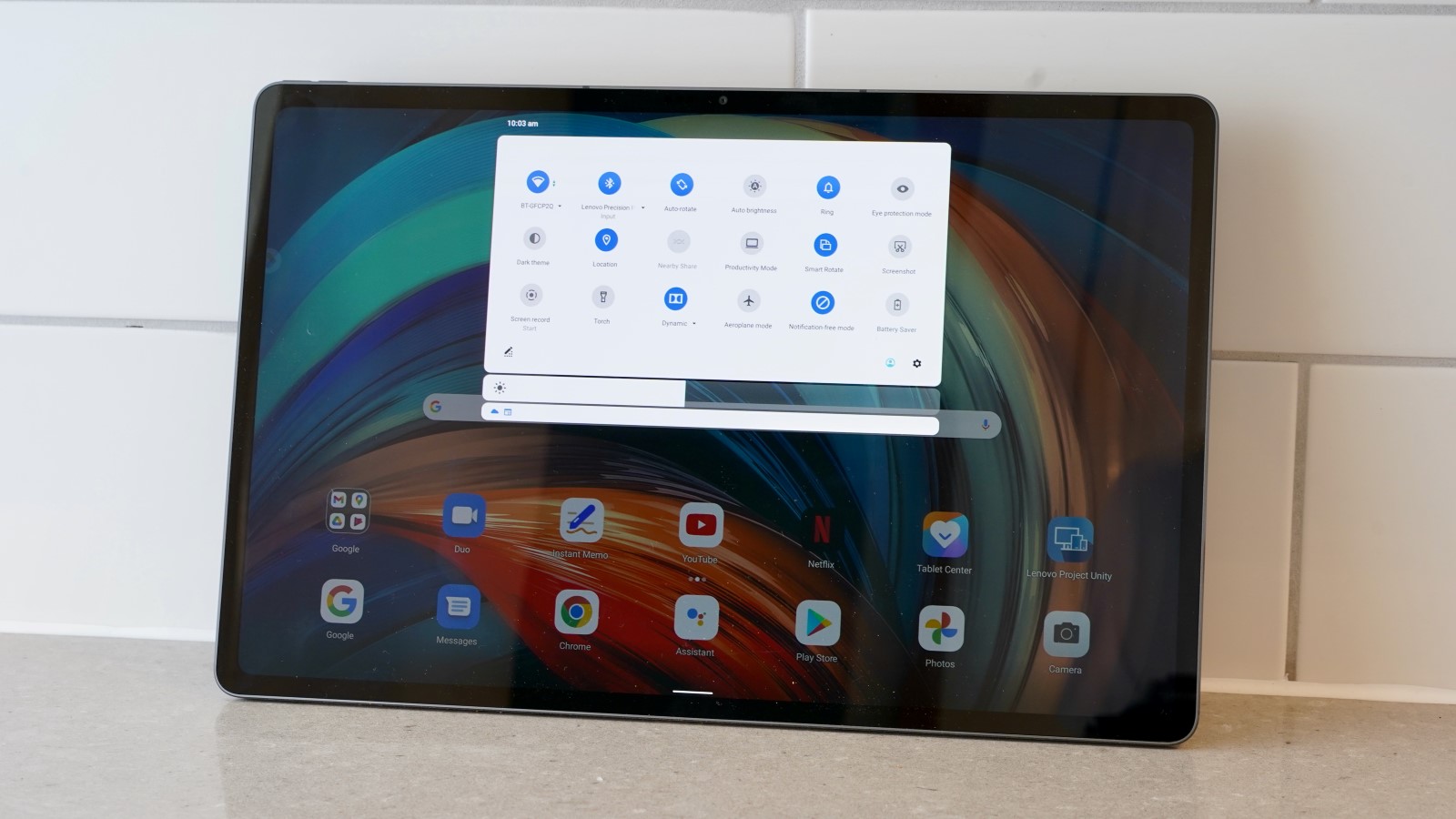
I hesitate to use the term ‘lightweight’, because there are some considerable customisations here. Most obviously, scrolling right from the main home screen will bring up Lenovo’s Entertainment Space screen.

Jon Mundy /Foundry
This is the rare Google Feed replacement that actually makes sense. Here it assembles video, music, game, and eBook content from many of the relevant services into a magazine-like browsing experience.
It’s useful for video content and books (especially comic books), absolute useless for gaming, and only partially useful for music.
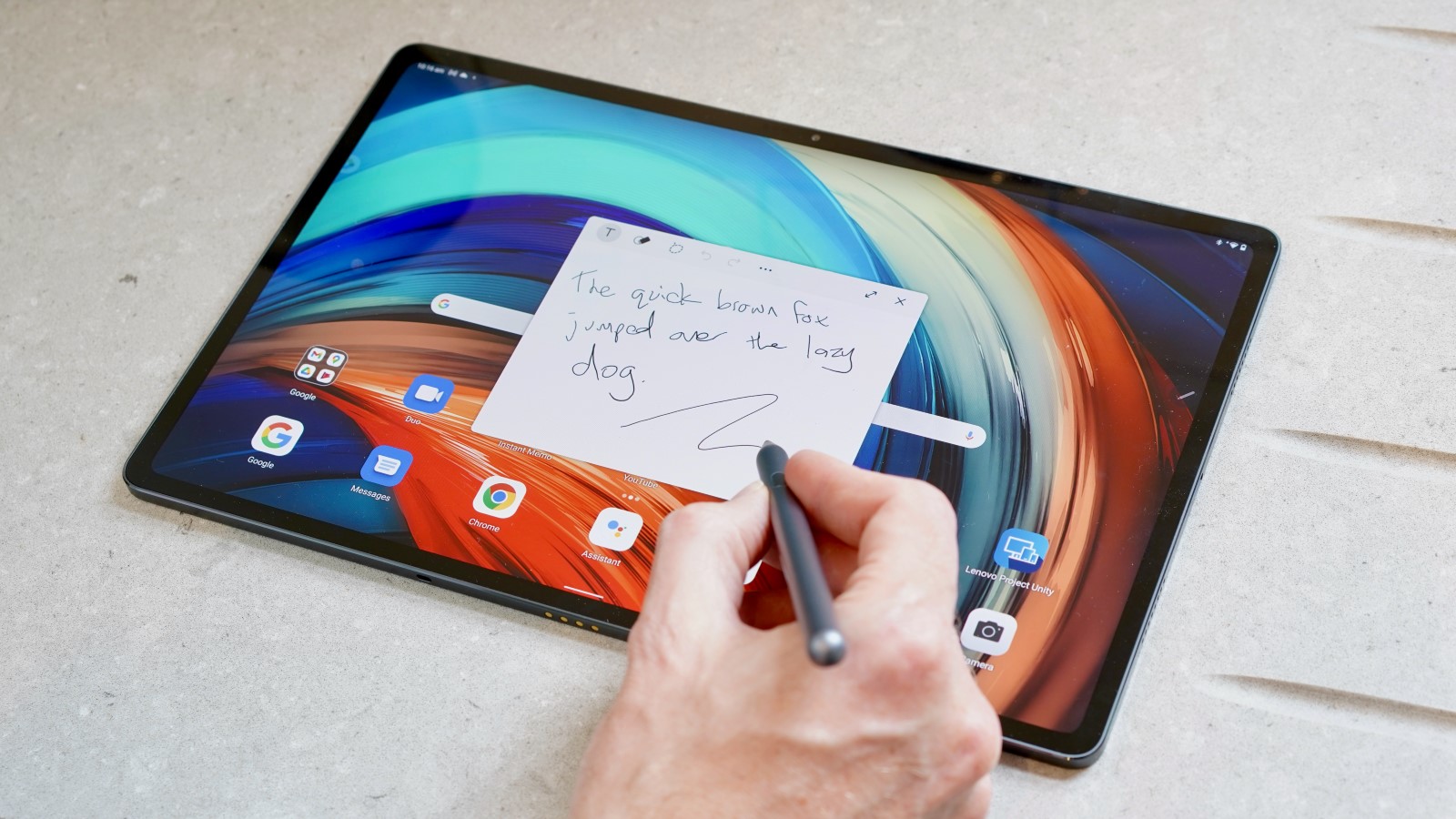
The stand-out software feature here relates to that bundled Lenovo Precision Pen 3 stylus. Lenovo’s provision of related apps isn’t too extensive, and I would have liked to have seen a decent sketch app at the very least.
But I also appreciated lightweight, unobtrusive approach. What’s there works well too, with a press of the Precision Pen’s button bringing up a discrete shortcut menu for notes, screenshots, and the like.
Jon Mundy /Foundry
You can also hold the button and tap the screen to write a quick note. Also neat is the ability to select and drag text into this tool via the semi-transparent pen icon for quick note-taking.
Elsewhere, it’s possible to enter a Productivity Mode, which crams a bunch of apps and key functions along the bottom of the screen like a clunky MacOS. Presumably, this works best with the optional keyboard accessory in turning the Lenovo Tab P12 Pro into a lightweight laptop replacement, but I have not tested that.
Price & Availability
The Lenovo Tab P12 Pro has been on the market since October 2021. UK residents can buy the 6/128GB storage model from Lenovo’s website, where the RRP of £749.99 has currently been dropped to £674.99 with an e-coupon. You can also buy it from the likes of Very.
From what I’ve seen, such discounts seem to be commonly applied. Suffice to say, at this price the Lenovo Tab P12 Pro becomes a significantly more appealing prospect.
Either way, the Tab P12 Pro seems weirdly expensive here in the UK. This can be seen with a much lower US launch price of $699.99, and at the time of writing, you can get the 8/256GB model which is normally $749.99 at a crazy $469. You can also buy the tablet from BestBuy and Amazon.
Check out our charts of the best tablets and best Android tablets to see what other options you have.
Jon Mundy /Foundry
Verdict
The Lenovo Tab P12 Pro is a very well balanced high-end Android tablet that’s perfect for media consumption, courtesy of a colour-rich 12.6in AMOLED display and four great sounding speakers.
Its design is suitably premium, its software suitably clean and focused, and I’m a fan of the bundled Precision Pen stylus.
However, its performance – whilst decent – isn’t quite what you might expect from a genuine Pro tablet and the same is true of battery life. To that end, its price tag feels ever so slightly steep.
If you can find it for a hefty discount, however, then it’s a genuinely viable alternative to the Samsung Galaxy Tab S8 range – especially if you intend to watch a lot of video content.
Specs
- Android 11
- 12.6in, 1600 x 2560, AMOLED, 120Hz
- Side-mounted fingerprint sensor
- Qualcomm Snapdragon 870 5G
- 6GB LPDDR5 RAM
- 128GB storage
- 13Mp main camera
- 5Mp ultra-wide camera
- Up to 4K @ 30fps rear video
- 8Mp front-facing camera, TOF Sensor
- Quad speakers with Dolby Atmos
- SIM support
- Wi-Fi 802.11 a/b/g/n/ac/6
- Bluetooth 5.2
- 10,200mAh battery
- Up to 45W fast charging
- 30W adapter included
- 286 x 185 x 5.6mm
- 565g
- Launch colours: Storm Grey


