


At a Glance
Pros
- 12 ports
- 2x HDMI
- Great looks
Cons
- Just one downstream TB4 port
- Macs can’t use both HDMI ports
- USB 2.0 ports
- Expensive
Our Verdict
The Belkin Pro Thunderbolt 4 Dock is a gorgeous-looking laptop docking station, boasting 12 ports including two HDMI for Windows users to quickly add multiple external displays.
Belkin’s Pro Thunderbolt 4 Dock adds 12 useful ports to your laptop and looks gorgeous.
A docking station lets you create a busy desktop setup with just a single USB-C or Thunderbolt connection between your laptop and the dock.
Connect pretty much what you like to the dock: from external displays to fast SSD drives, printer, webcam, memory sticks and cards, keyboard and mouse. Escape weak Wi-Fi with a wired Ethernet Internet connection on the dock that should super-power your connectivity.
Thunderbolt 4 (TB4) works with the latest Thunderbolt 4 and USB4 computers and is also backwards compatible with Thunderbolt 3 (TB3) and USB-C. Even if your laptop doesn’t have TB4, it’s a wise investment to buy a dock with the latest connectivity tech.
It works with computers that have a video-enabled USB-C or Thunderbolt port, Windows 10 RS3 or newer, MacOS (Big Sur Version 11) or newer, and iPadOS (Type-C iPads only).
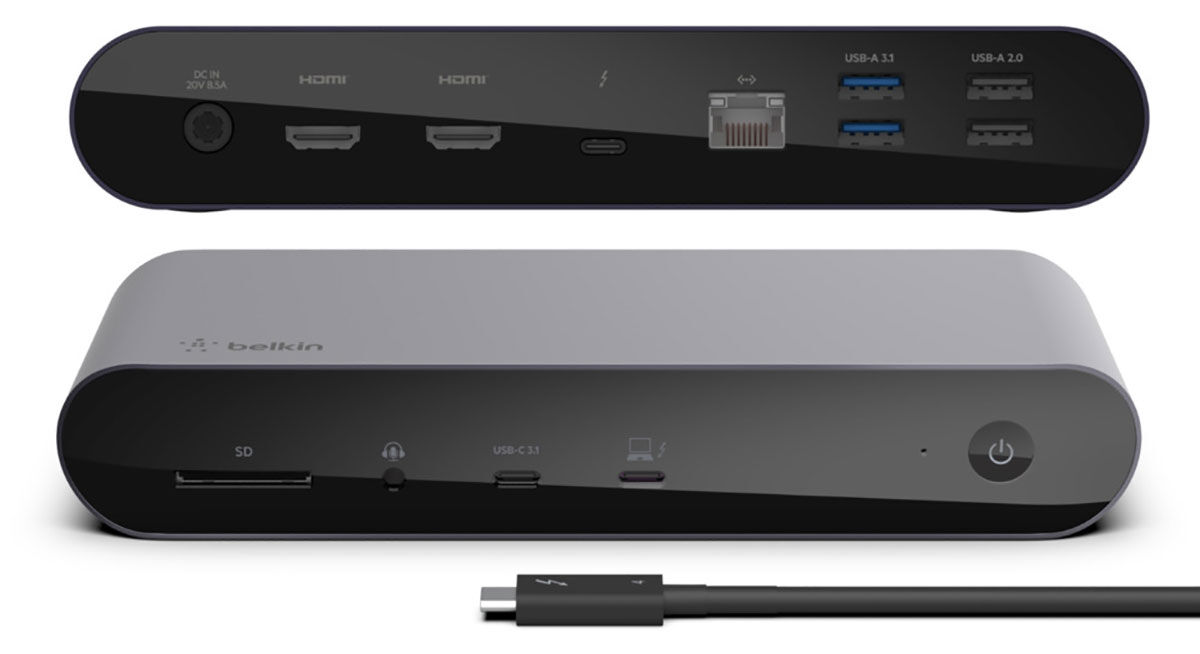
Specs and features
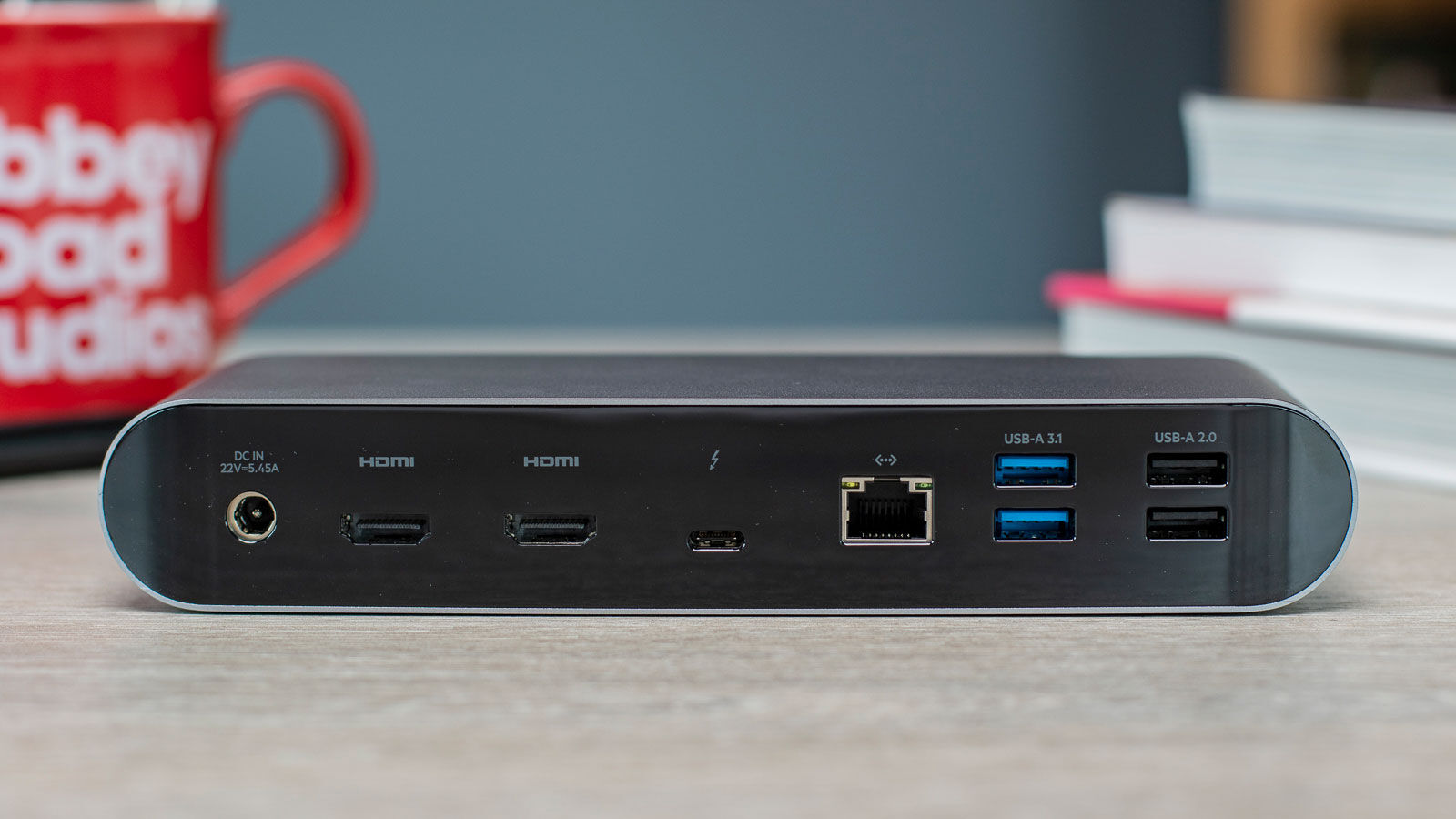
We’ve seen docking stations with more ports, but the Belkin TB4 dock boasts an impressive 12, including two display connections.
• One upstream Thunderbolt 4 port (40Gbps, 90W)
• One downstream Thunderbolt 4 port (40Gbps, 15W)
• Two HDMI 2.0 video ports (4K at 60Hz)
• Two USB-A ports (10Gbps, 4.5W)
• Two USB-A ports (480MBps, 2.5W)
• One USB-C port (10Gbps, 18W)
• Gigabit Ethernet
• UHS-II SD card reader (320MBps)
• 3.5mm combo audio jack (front)
• 120W power supply
Belkin has included two HDMI ports as most users want to connect a couple of external displays to get past the limitations of their laptop screen space.
Having the built-in video ports saves you having to buy a USB-C adapter.
Windows users can add up to three displays, using the two HDMI and one Thunderbolt 4 port. The TB4 port can attach directly to a USB-C monitor or you can buy a USB-C adapter to connect to a DisplayPort or HDMI display.
One 8K display can run at 30Hz, or you can have two 4K at 60Hz. Video resolution for up to three displays is dependent on your laptop’s capabilities.
Thunderbolt 4 can include up to four TB4 ports, but Belkin’s dock comes with just two: one upstream to the computer and one downstream to devices.
That’s a compromise for having the two HDMI ports. If you want more flexibility, look for a dock with less dedicated display connections and more TB4 ports.
The lack of port flexibility is worse for Mac users, as they can’t use both HDMI due to the way Macs handle video.
Mac users can connect two external displays but only using one of the HDMI and the spare TB4 port. They can’t use both HDMI ports.
That leaves one redundant HDMI port and no spare TB4 ports for fast 40Gbps device connections, although the USB-C port does run at 10Gbps.
That’s why we don’t recommend the Belkin Pro Thunderbolt 4 Dock for Macs. It’s not Belkin’s fault, it’s an Apple thing, but there are plenty of other docks that don’t leave ports empty.
While four USB-A ports is plenty, two are rather puny, being USB 2.0 that has a weedy 480MBps bandwidth—it’s an odd choice when most docks have a 5Gbps minimum. If you call a product “Pro” it shouldn’t skimp on its capabilities.
The other two, however, are pretty racy at 10Gbps.
None of the USB-A ports offers much in the way of device charging, maxing out at 4.5W but the USB-C port can charge at an impressive 18W.
The upstream TB4 port can supply up to 90W, which should be enough for even a large laptop.
Overall power, though, is quite low at 120W, which might explain the weakly charging USB-A ports.
The SD card reader is fast, but you’ll need an adapter if you use microSD cards. Memory cards aren’t just for camera enthusiasts. You can buy a quality 512GB card for around $60/£50, and they offer an inexpensive and portable way of upping the storage in your laptop.
Design
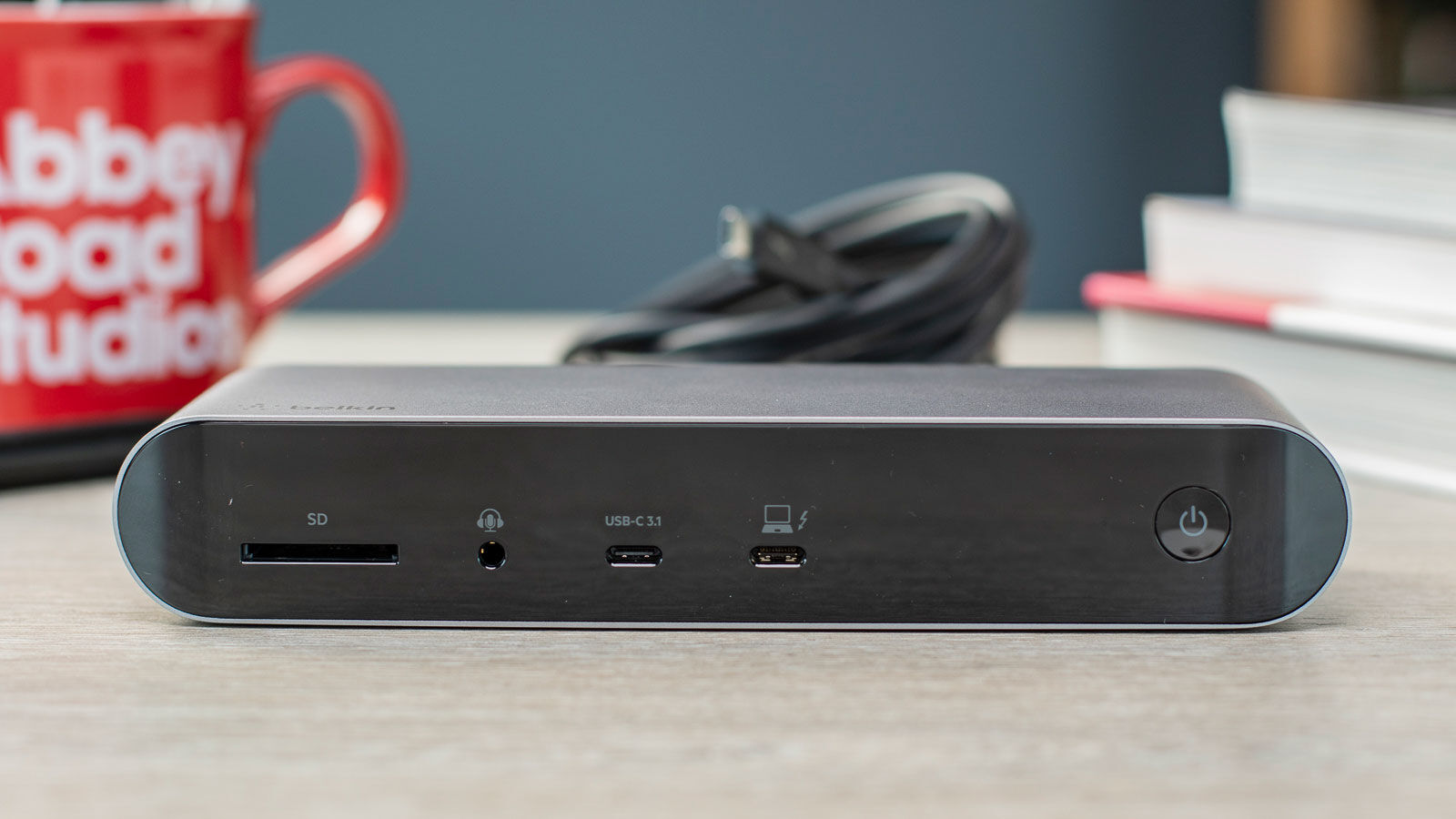
Space Gray with a glossy black front and back, the Pro Thunderbolt 4 Dock is a beauty.
One personal niggle is the upstream TB4 port being placed at the front, so there’s always a cable sticking out and spoiling the dock’s otherwise stunning looks.
Belkin isn’t alone in this practice but hats off to rival Caldigit that hides the laptop connection at the back of its docks alongside the power input and Gigabit Ethernet.
In Belkin’s favor, it does make plugging in and out that little bit quicker and easier.
The dock comes with a 0.8m (2.8ft) Thunderbolt 4 cable. If you need extras, check out our roundup of the best Thunderbolt 4 cables.
Price
The Belkin Pro Thunderbolt 4 Dock costs $399.99 or £399.99.
This puts it at the high-end of the price range for Thunderbolt 4 docks. The less flashy Caldigit TS4 has more (and better) ports at a lower cost. If two HDMI ports is a must then the Anker 777 Apex Thunderbolt 4 Dock has the same port lineup at a more affordable price.
See our roundup of all the best Thunderbolt 4 docks and hubs.
Verdict
The Belkin Pro Thunderbolt 4 Dock is a gorgeous-looking but pricey laptop docking station, boasting 12 ports including two HDMI for Windows users to quickly add up to three external displays. Mac users, however, should stay away.
It sullies its Pro title, however, with a couple of the ports being rather average, and the power supply could do with being higher, but it is otherwise well equipped.


